Your wallet
Balance, gift cards, and recent activity in one place.
Updated October 3, 2026
Your wallet is the home base of the redeem portal. It is one click from the sidebar at any time and it carries every gift card and Mojo Credit you have on the platform. This page covers what each part of the wallet does.
The wallet at a glance
The page lives at /redeem/wallet. It has four bands stacked top to bottom: the redeem bar, the action row, the summary cards, and the tabs.
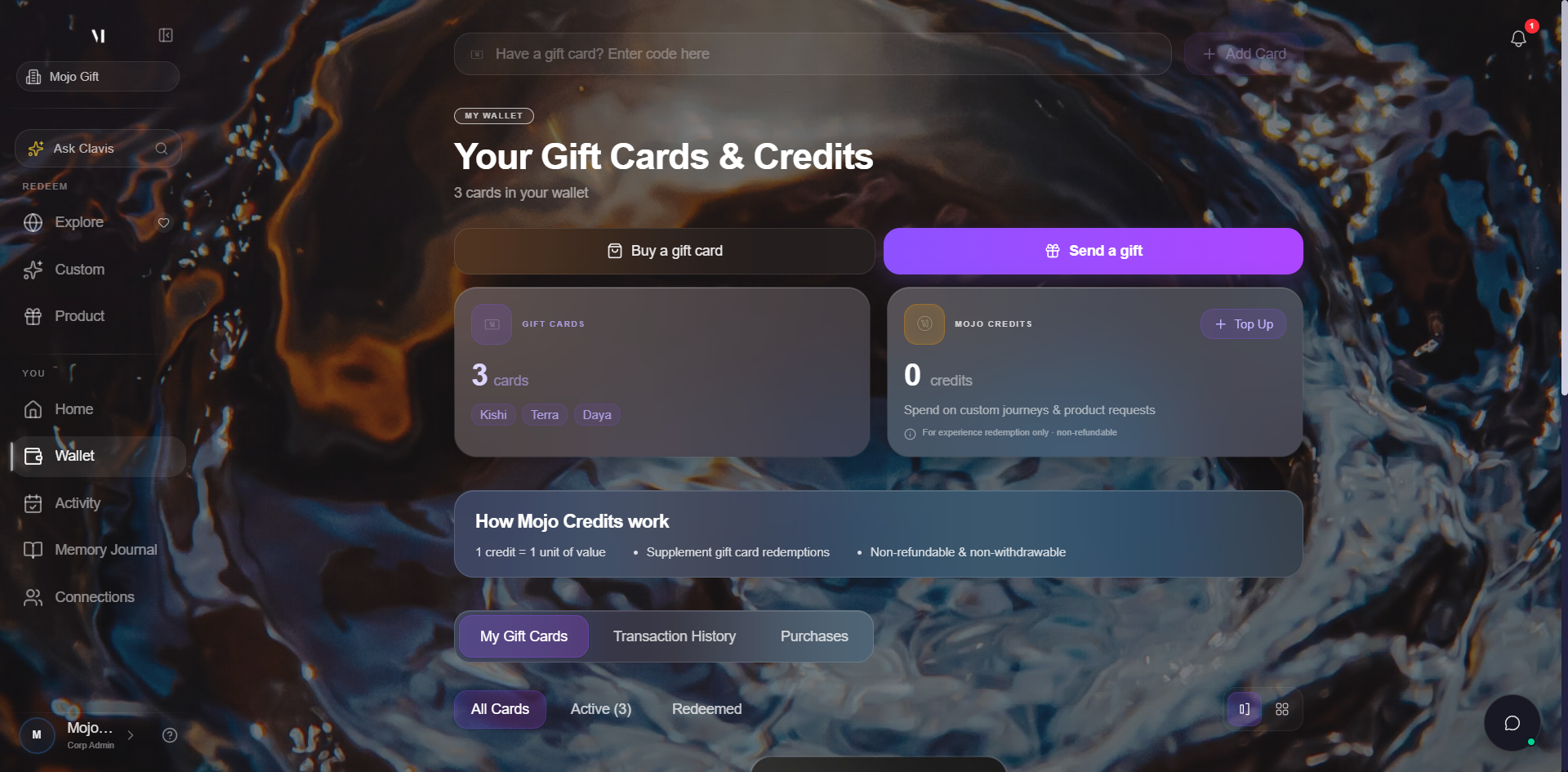
| Element | What it does |
|---|---|
| Have a gift card? Enter code here | Adds a new gift card to your wallet by code. The full walkthrough lives at Redeeming a gift card. |
| Buy a gift card | Adds a new card to your own wallet. The five-tier-to-Exora purchase wizard is covered at Buying a gift card. |
| Send a gift | Sends a freshly purchased card to someone else by email. The five-step wizard is covered at Sending a gift card. |
| GIFT CARDS | Tally of cards in your wallet, with a tier chip per unique tier. |
| MOJO CREDITS | Your in-platform credit balance, with a Top Up button to buy more. |
| How Mojo Credits work | Three reminders, always visible: one credit equals one unit of value, credits supplement gift cards, credits are not refundable. |
My Gift Cards tab
The first tab is your card carousel. The cards stack from newest at the front to oldest at the back. Use the chevrons or the dot indicator below the cards to scroll through.
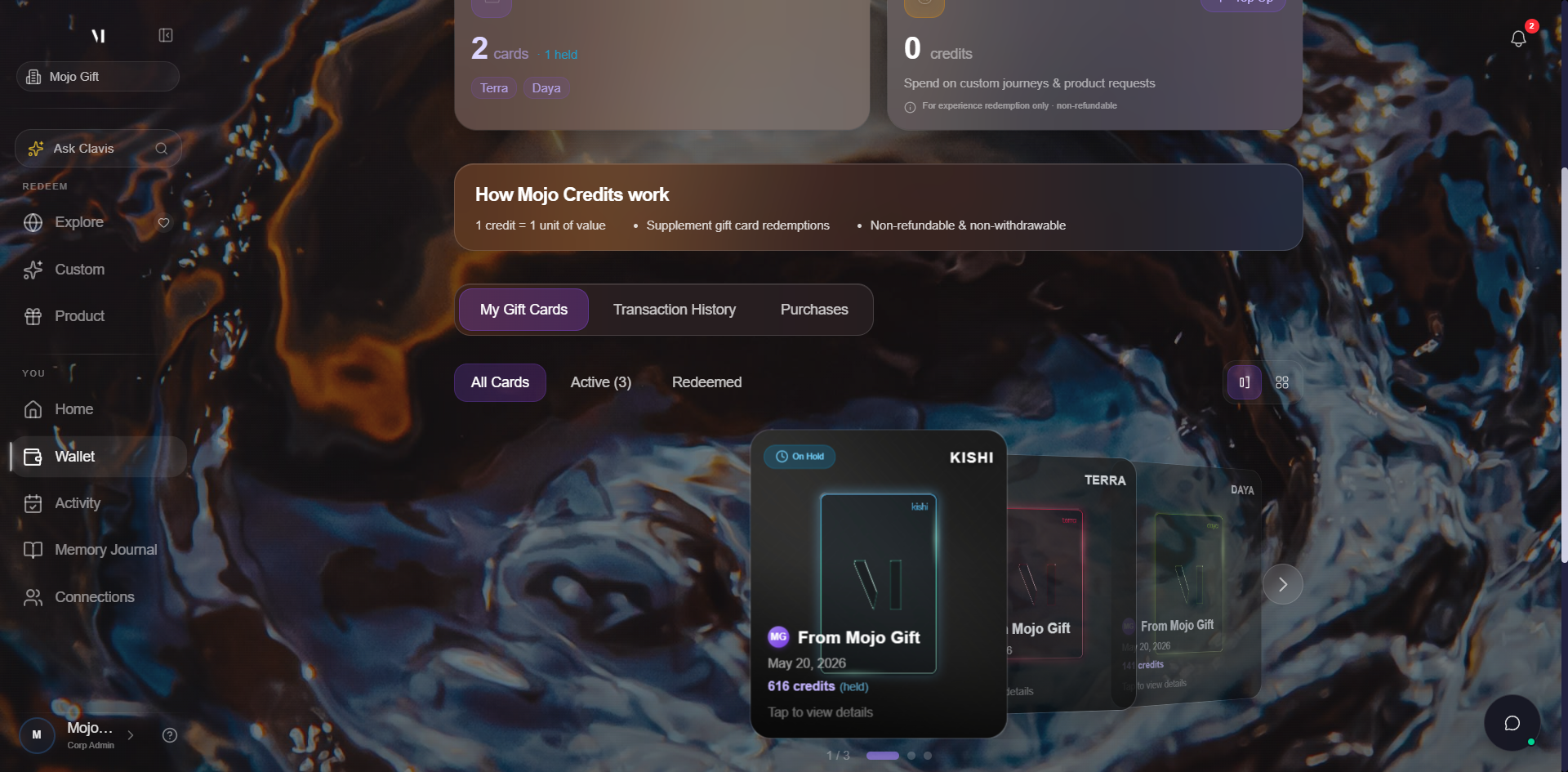
The two sub-tabs filter the carousel:
| Sub-tab | What it shows |
|---|---|
| All Cards | Every card on your account, regardless of status. |
| Active (N) | Cards you haven't redeemed yet. Gift cards are single-use, so an active card still holds its full value, ready to redeem. |
| Redeemed | Cards you've already used. A gift card is single-use, so once redeemed it's fully spent — it stays on your account for history, just dimmed. |
The toggle on the right of the sub-tab strip switches between the carousel view shown above and a grid view. The grid is useful when you want to see all your cards on screen at once.
The three quick links at the bottom (Curated Experiences, Request a Product, Custom Experience) are shortcuts to the three redemption modes. They use the card you have selected in the carousel.
Transaction History tab
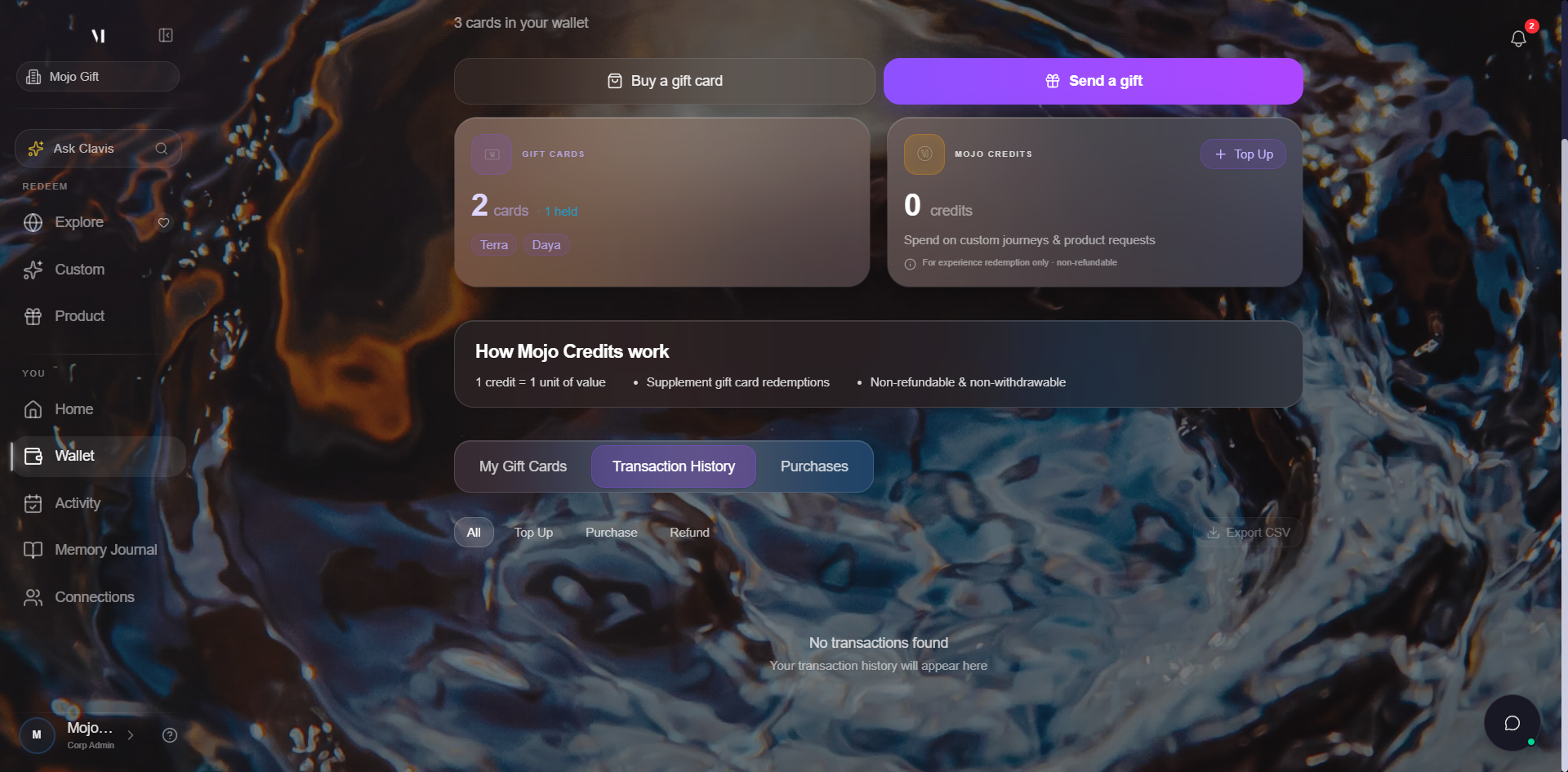
The second tab is your credit ledger. Every Mojo Credit movement lands here.
| Sub-tab | What it shows |
|---|---|
| All | Every transaction in chronological order. |
| Top Up | Only credit purchases. |
| Purchase | Only entries where credits were spent on an experience or product. |
| Refund | Only credits returned to your account. |
The Export CSV button on the right packages the current view (with whatever sub-tab filter is active) into a downloadable file. Useful for personal record keeping.
Purchases tab
The third tab is your record of gift cards you have bought for other people. It is separate from the Gift Cards summary at the top of the page (which counts cards you have received).
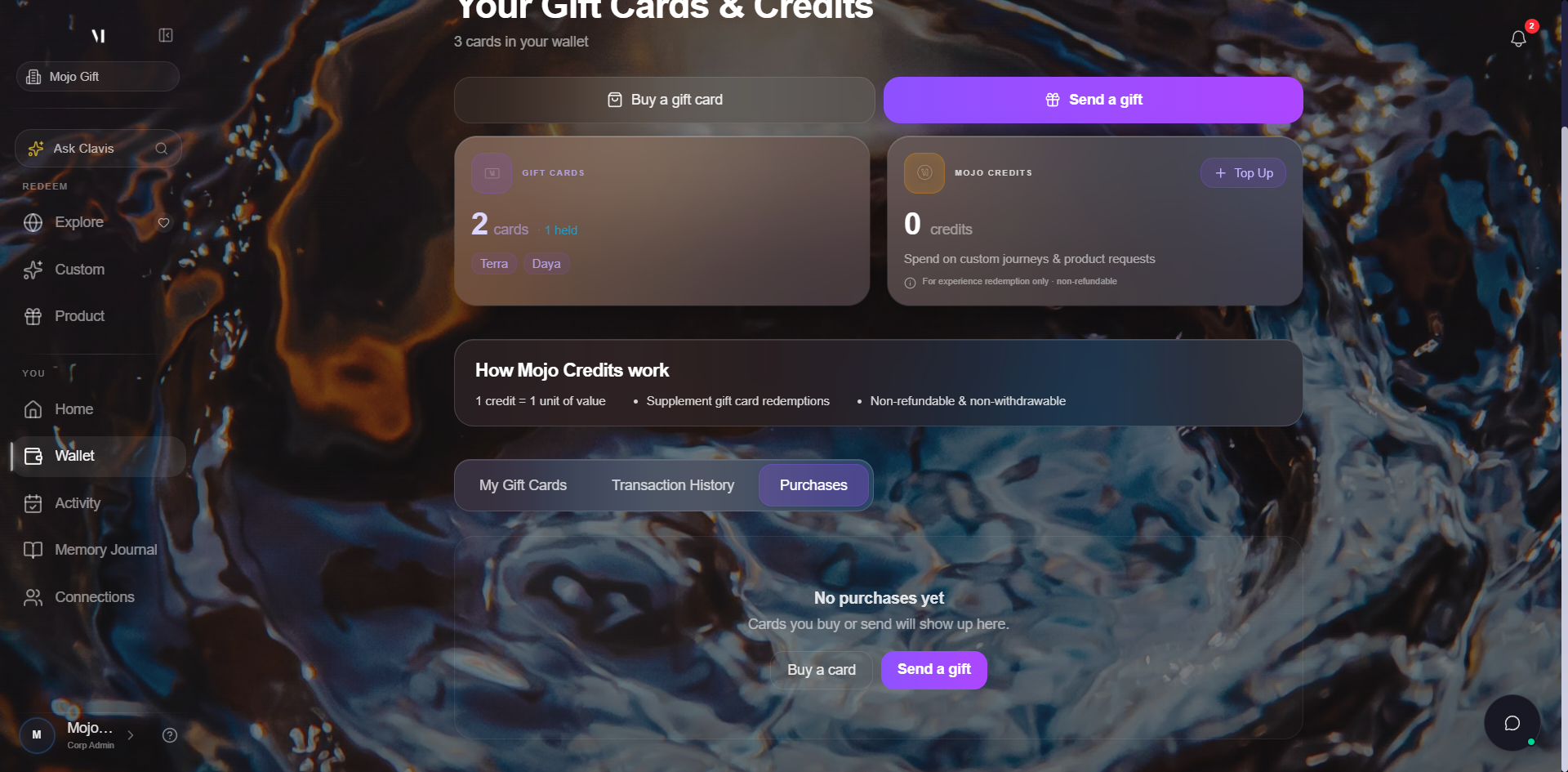
Statuses you'll see:
| Status | Meaning |
|---|---|
| PENDING | Payment is processing or the recipient has not redeemed yet. |
| DELIVERED | The recipient redeemed the card. |
| REFUNDED | The purchase was reversed. The amount returned shows up in your Transaction History under Refund. |
Amounts on this tab are in real currency because you spent real money. The recipient still sees the gift in tier terms, not as a number.
Empty states
If you just signed in for the first time, you may see empty panels. The wallet page still loads the same layout, the carousel just shows a "No cards yet" state, the credit balance is 0, and Transaction History is empty. Once you redeem a card or top up credits, content fills in automatically.
How tiers and credits combine
The redemption modes in the carousel respect both your gift card tier and your Mojo Credits balance. The combinations:
| You have | What you can do |
|---|---|
| Gift card alone | Browse Experiences within the tier, plus Custom Experience and Request a Product on the same tier. |
| Mojo Credits alone | Custom Experience and Request a Product. Browse Experiences requires a gift card. |
| Gift card + Credits | Same as gift card alone, with credits filling any difference if the experience exceeds the tier. |
For the full breakdown, see Tiers explained and About Mojo Credits.
What's next
- About Mojo Credits covers the supplementing currency in detail.
- Topping up credits walks through buying credits with a payment card.
- Buying a gift card walks through the purchase wizard.
- Sending a gift card walks through the gifting wizard.
- Tiers explained covers what each tier name unlocks.