About Mojo Credits
In-platform currency, what they are and where they apply.
Updated October 3, 2026
Mojo Credits are the in-platform currency on Mojo Gift. They live alongside your gift cards in the wallet and let you stretch a card, cover the gap on a custom journey, or request a product on credits alone. This page covers what they are, where they show up, and how they work with gift cards.
Where credits live
Your credit balance lives in the Mojo Credits panel on the wallet page at /redeem/wallet. It sits next to the Gift Cards panel and keeps a running total in plain credits.
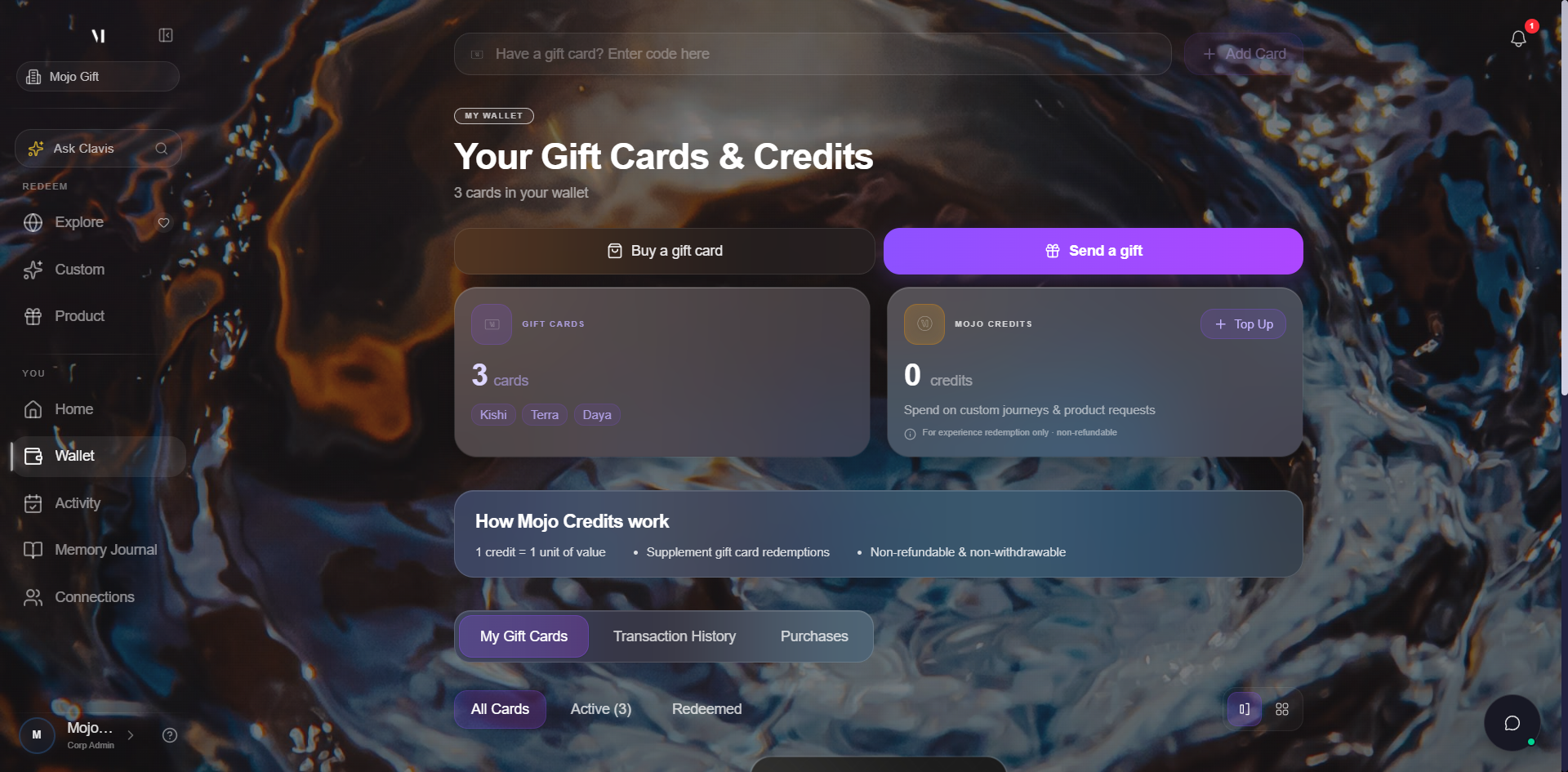
The "How Mojo Credits work" reminders that sit underneath the summary panels are the same three rules everywhere on the platform:
| Rule | What it means |
|---|---|
| 1 credit = 1 unit of value | Credits are not a discount or a multiplier. Each credit covers one unit of an experience or product cost. |
| Supplement gift card redemptions | Credits stack on top of a gift card. If your card tier doesn't quite cover an experience, credits fill the difference. |
| Non-refundable & non-withdrawable | Once you buy credits they stay on the platform. They cannot be cashed out. |
What credits are not
Credits are bought with real money but they are not real money. They can only be spent on Mojo Gift, and they are not refundable to you directly. Treat them as a platform balance rather than cash sitting in your account.
The Purchases tab on your wallet shows real currency because that side of the wallet records gift cards you have bought for other people. The credit balance itself only ever shows in credits.
Where you spend credits
Credits apply across all three redemption modes, with one important rule for curated experiences:
| Mode | Gift card alone | Credits alone | Card + credits |
|---|---|---|---|
| Browse Experiences (Curated) | Yes | No | Yes |
| Custom Experience | Yes | Yes | Yes |
| Request a Product | Yes | Yes | Yes |
Browse Experiences requires a gift card to start. Custom Experience and Request a Product accept credits on their own, with or without a card. In all three modes, credits can supplement a card if the experience runs over the tier.
Inside any of these flows you'll see your live credit balance in the page header so you always know what's left.
Buying credits
The fastest way to add credits is the Top Up button on the wallet's Mojo Credits panel. It opens a payment dialog, you enter the amount in real currency, you pay with a card, and the credits land in your wallet immediately.
Full walkthrough: Topping up credits.
Refunds
Credits are non-refundable to you directly, but our team can adjust your balance in special cases (a payment that did not land, a goodwill credit, an order that was reversed). Refunds always come from the concierge side, never as a button you press. If something looks wrong with your balance, see Getting help.
What's next
- Topping up credits covers the payment flow end to end.
- Your wallet covers the rest of the wallet, including the Transaction History tab where every credit movement is recorded.
- Tiers explained covers how credits fit alongside gift card tiers.