Browse Experiences
Curated experiences, gift card required.
Updated October 3, 2026
Browse Experiences is the curated mode. Our team picks stays, dining, and outings, and you book them with a gift card. This page covers what the catalog looks like, how filtering works, and how a request reaches the concierge.
You need a gift card
This is the only redemption mode that requires a gift card. Mojo Credits alone cannot unlock the catalog. If you don't have a card yet, the Curated tab keeps the catalog hidden behind an empty state.
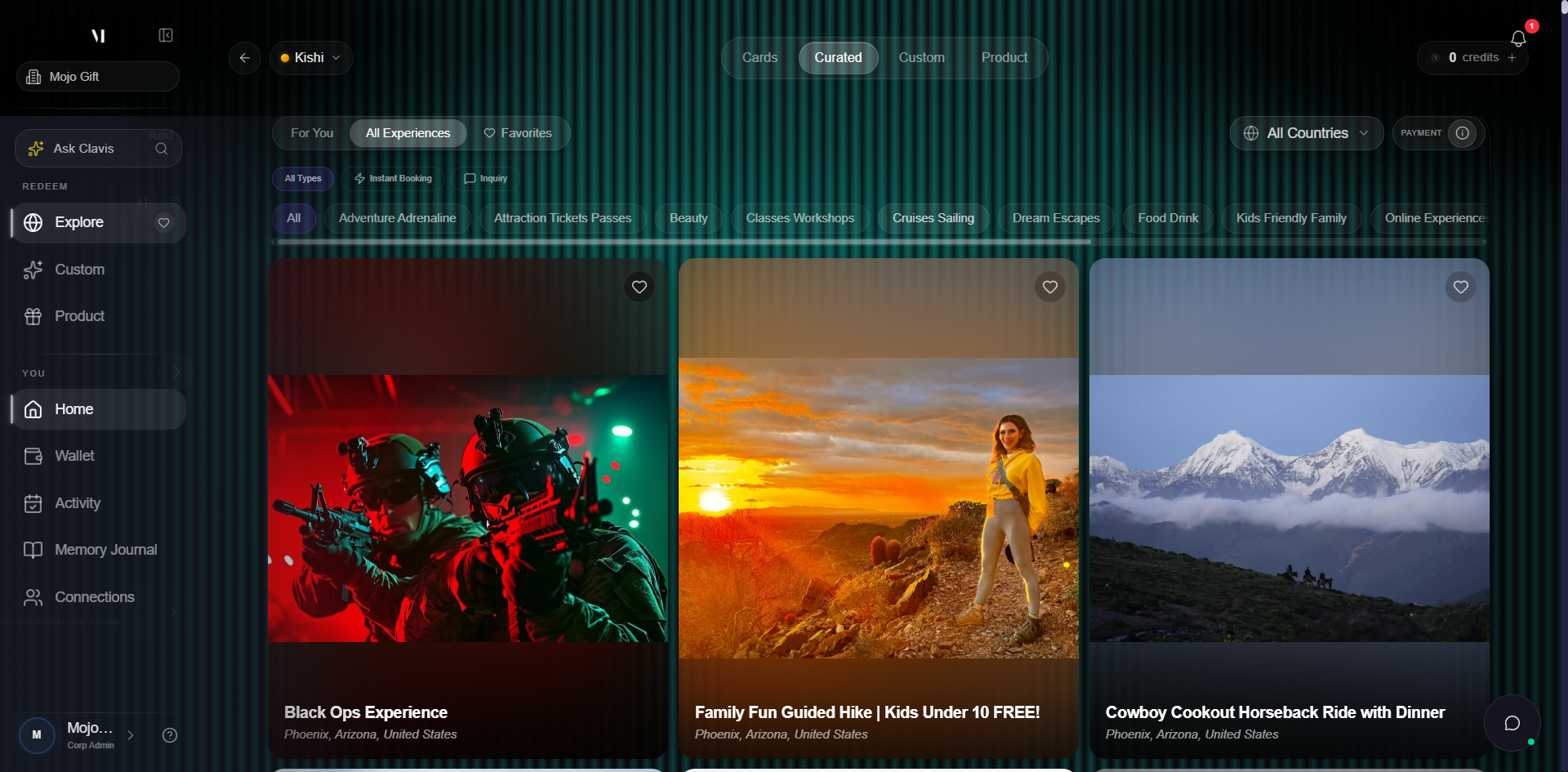
If your card tier doesn't fully cover an experience, you can supplement with Mojo Credits — but you still need a gift card to start.
Open the catalog
With a gift card on file, the Curated tab loads the catalog. The page lives at /redeem?tab=curated-experiences and is reachable from three places: the Curated quick link on your wallet, the Browse Experiences card on the redeem home, and the Curated tab inside any redemption page.
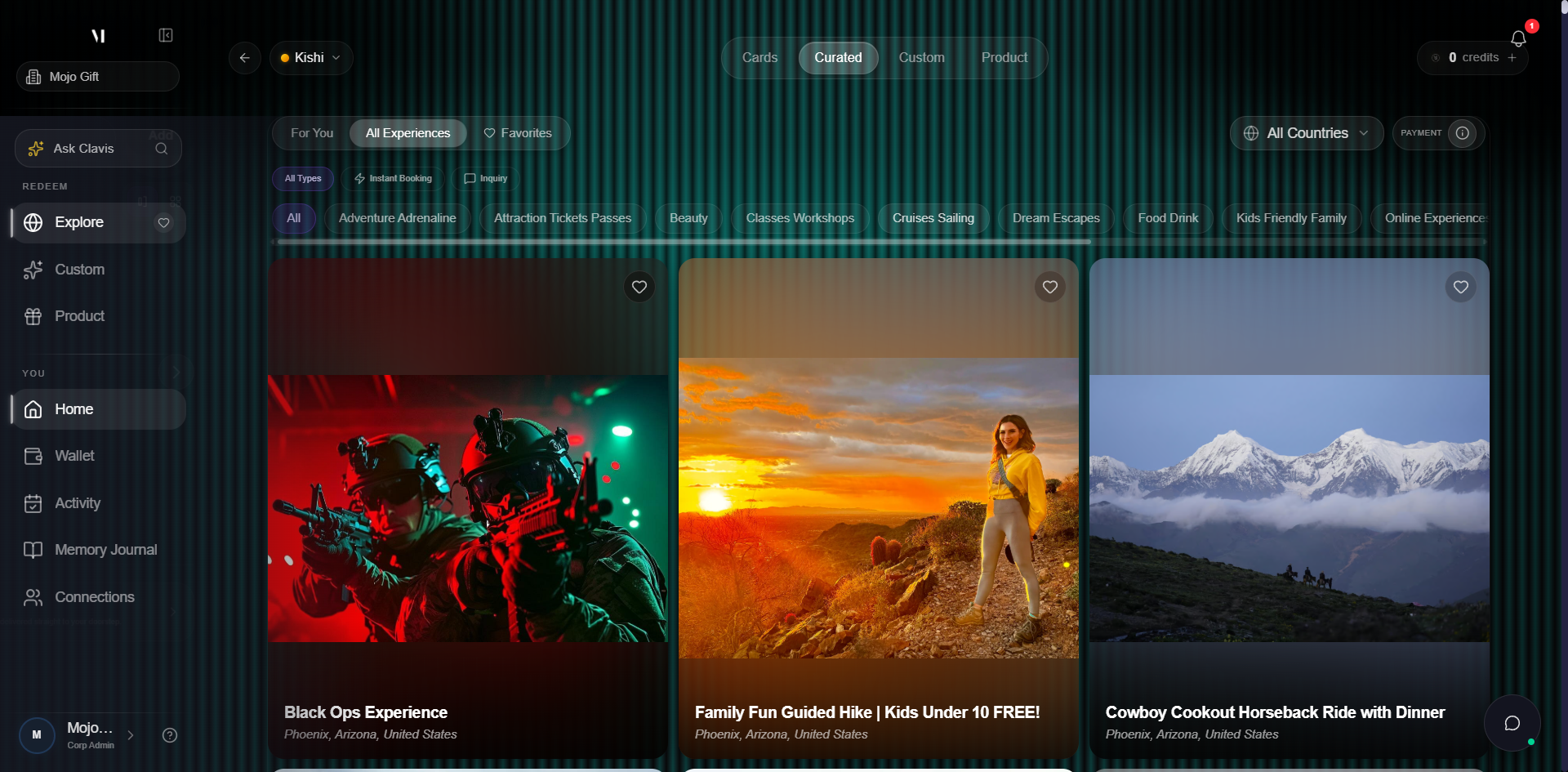
The catalog organises into three things you can interact with:
| Element | Use it for |
|---|---|
| Sub-tabs (e.g. All Experiences) | Switch between curated lists or saved favourites. |
| Filter pills | Narrow by tier, category, location, or keyword. |
| Experience cards | Each card shows the title, a cover photo, and an Instant Booking marker if available. Click a card to open its detail. |
What's in the catalog
Each card in the grid is a real bookable experience. Categories on the platform include:
- Hotel stays and getaways
- Dining experiences and chef's tables
- Activities, outings, and wellness
- Seasonal or themed collections
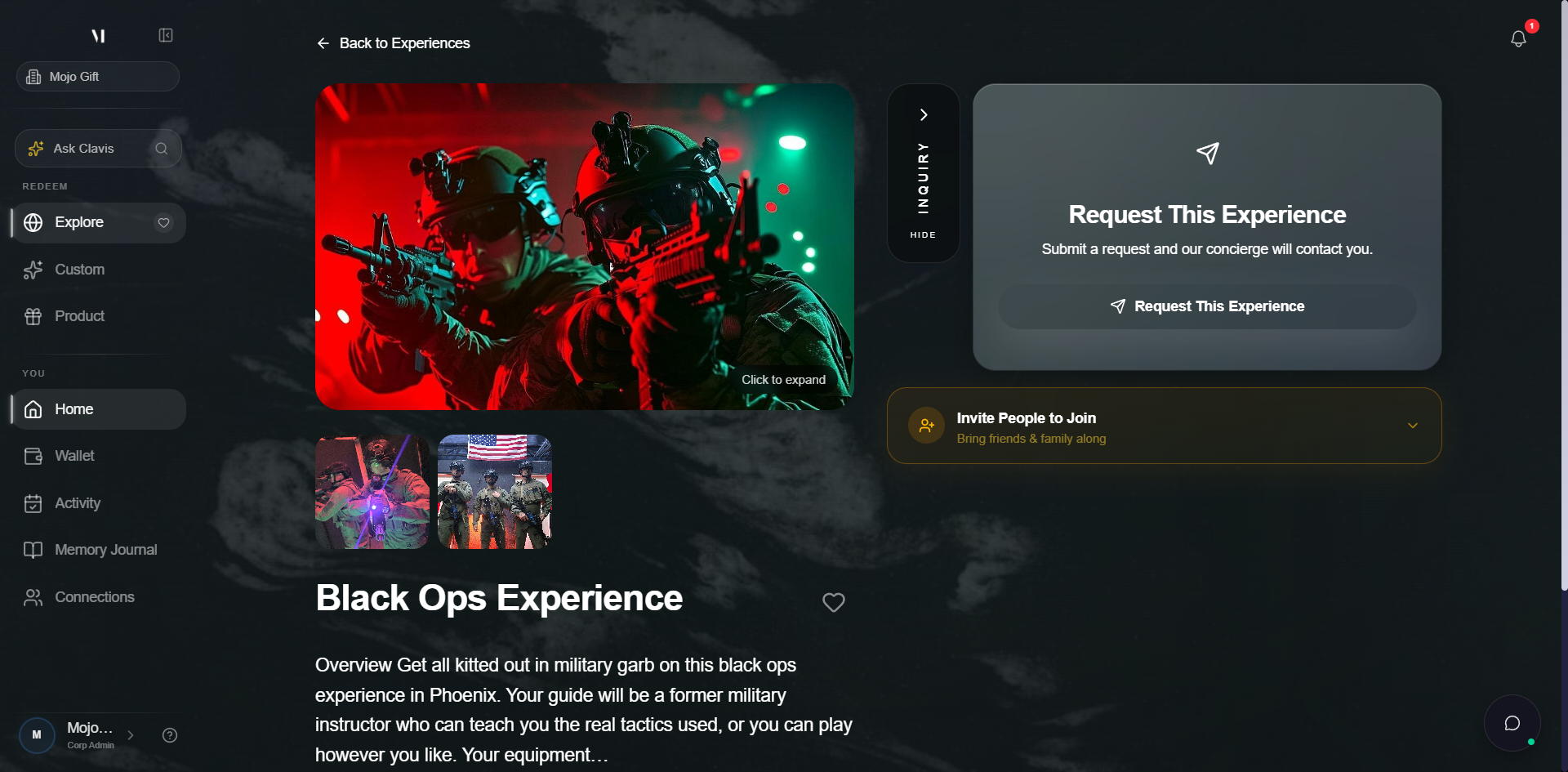
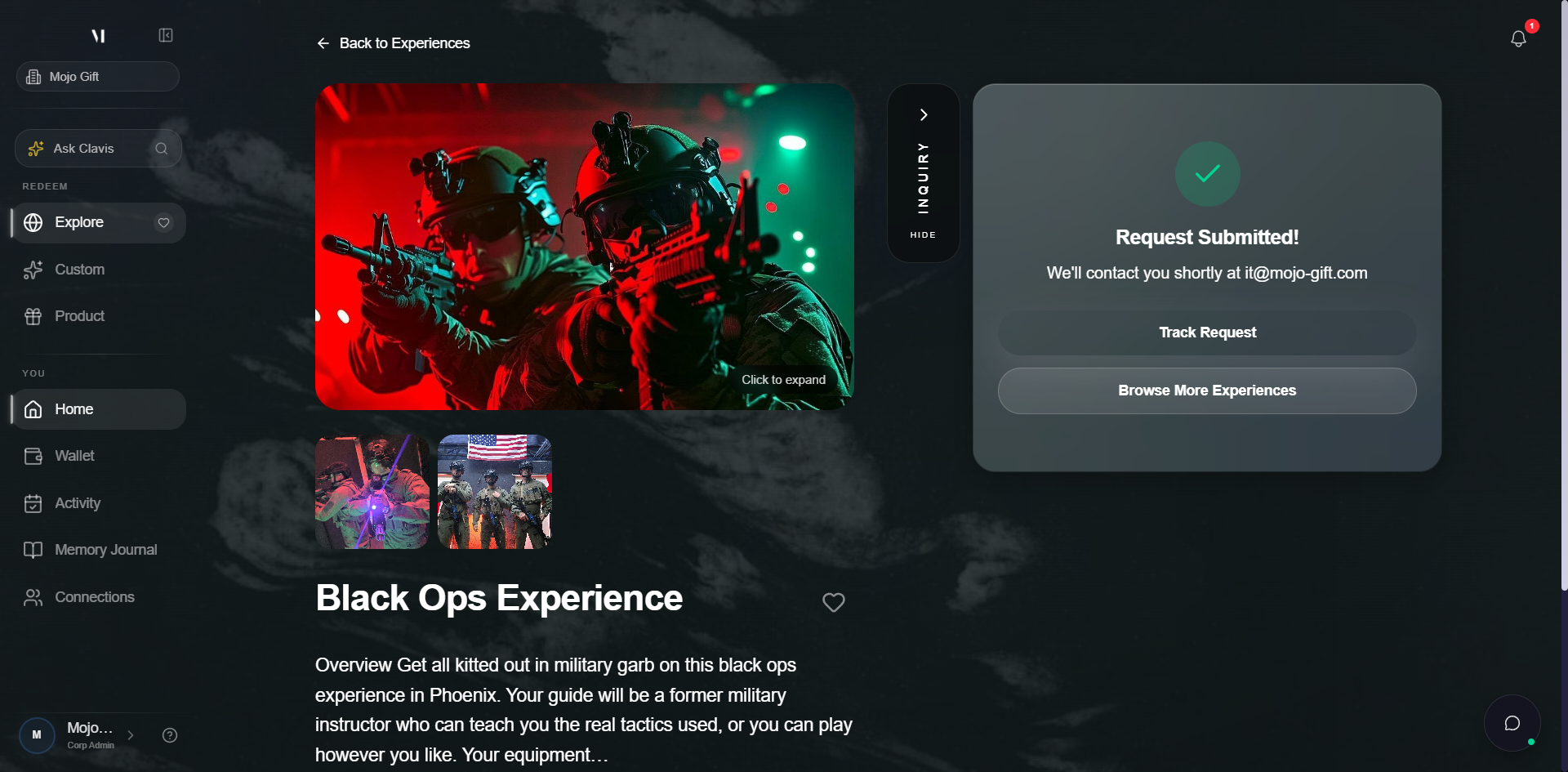
The detail view shows the cover photo, a write-up, what's included, and the booking policy.
How a booking request works
Curated experiences are not self-serve calendars — every booking goes through a concierge for confirmation.
- Pick an experience that fits your tier. Cards above your tier show as locked or out of reach. Stay within the tier or supplement with credits.
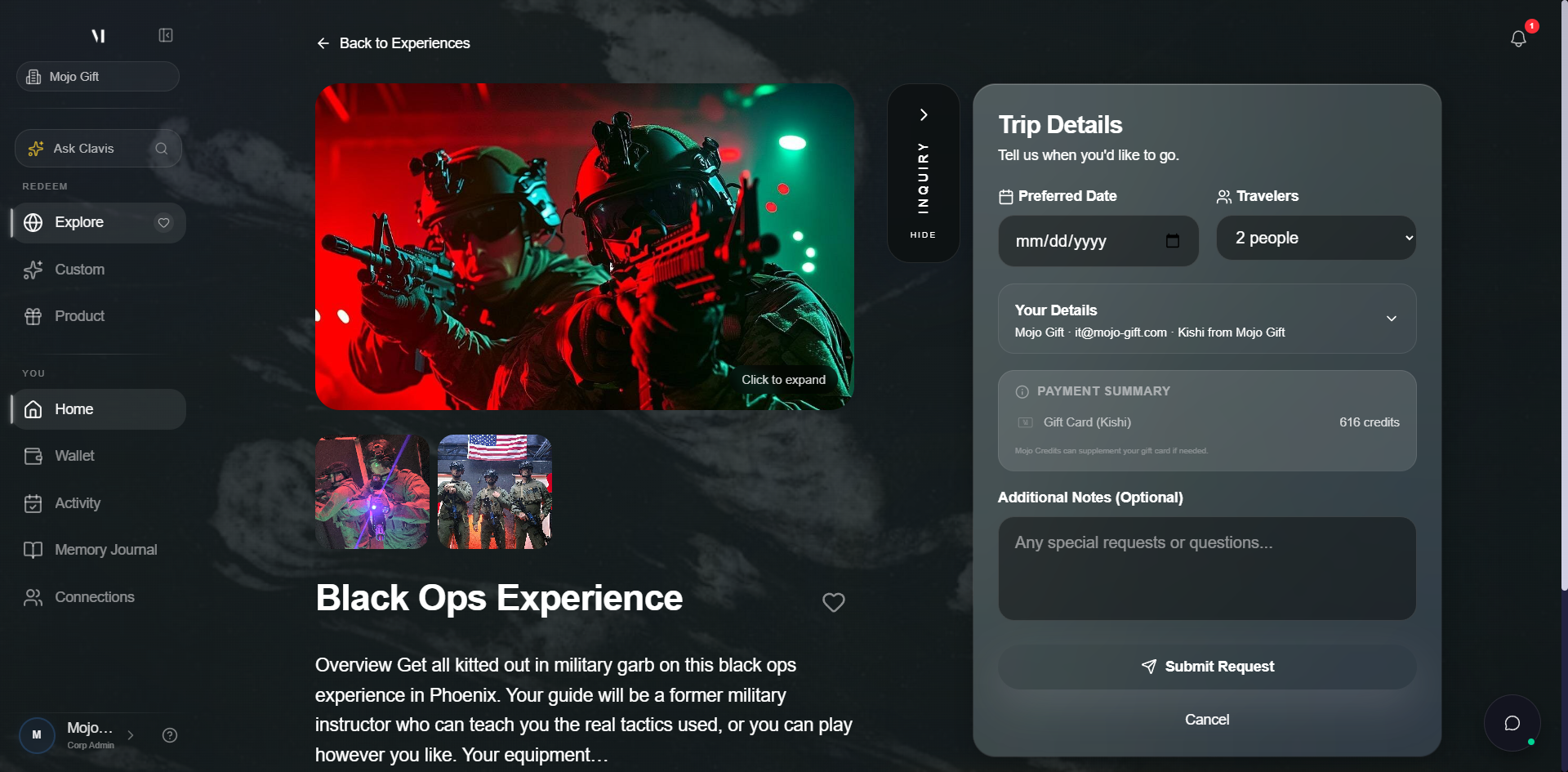
- Open the detail and tap Request This Experience. The page expands an inline Trip Details form for dates, travelers, and any additional notes.
- Submit the request. Your gift card balance is held against the request. The concierge picks it up and confirms availability with the venue.
- Receive a confirmation. Once the venue confirms, the booking moves to My Activity with full details and a confirmation email.
After you submit, the page shows a Request Submitted confirmation with a Track Request button.
The Track Request page is your live view of the inquiry — status, the brief you submitted, and the concierge thread.
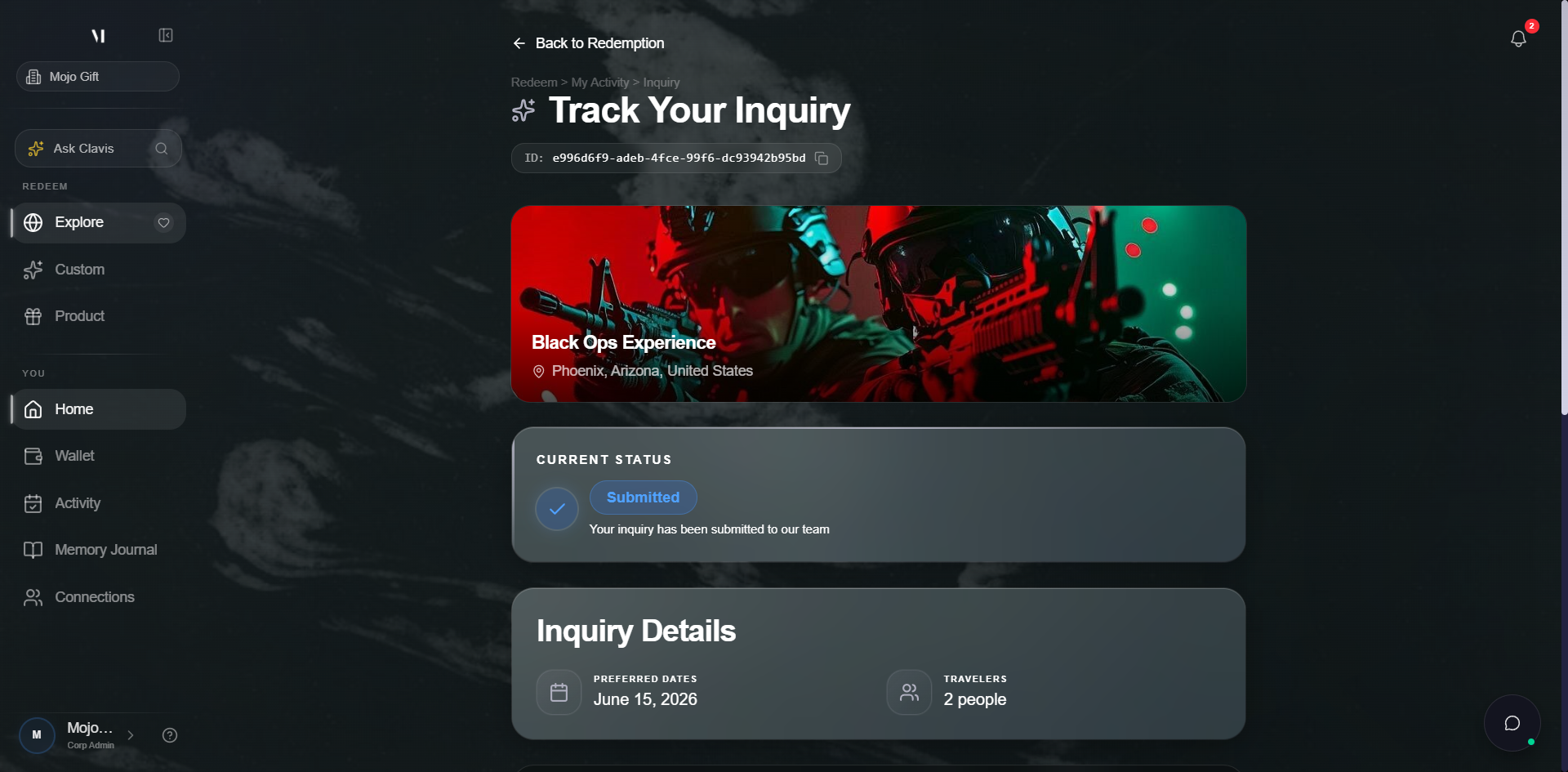
For tracking the request after submission, see Tracking bookings.
Tier filtering
By default the catalog shows experiences that match your card's tier. The filter pills let you look one tier higher or lower, but you can only book what your card unlocks (with optional credits to bridge a gap). Tier names map to specific experience price bands. See Tiers explained for the full list.
Combining cards and credits
If an experience exceeds your card tier, you can stack credits to cover the difference. The detail view shows the card balance applied and the credits needed at request time. If you don't have enough credits, the Top Up flow opens directly from the request screen.
What's next
- Custom Experience is the right mode for trips not in the catalog.
- Tracking bookings covers what happens after you submit a request.
- Tiers explained covers what each tier unlocks.