Inquiry invitations
When someone invites you to join a planning thread.
Updated October 3, 2026
An inquiry invitation lets someone bring you into a curated experience or planning thread they've started. This page covers how to send one from your own inquiry, what an invitation looks like for the invitee, how to accept or decline, and what changes when you join.
Inviting someone to your inquiry
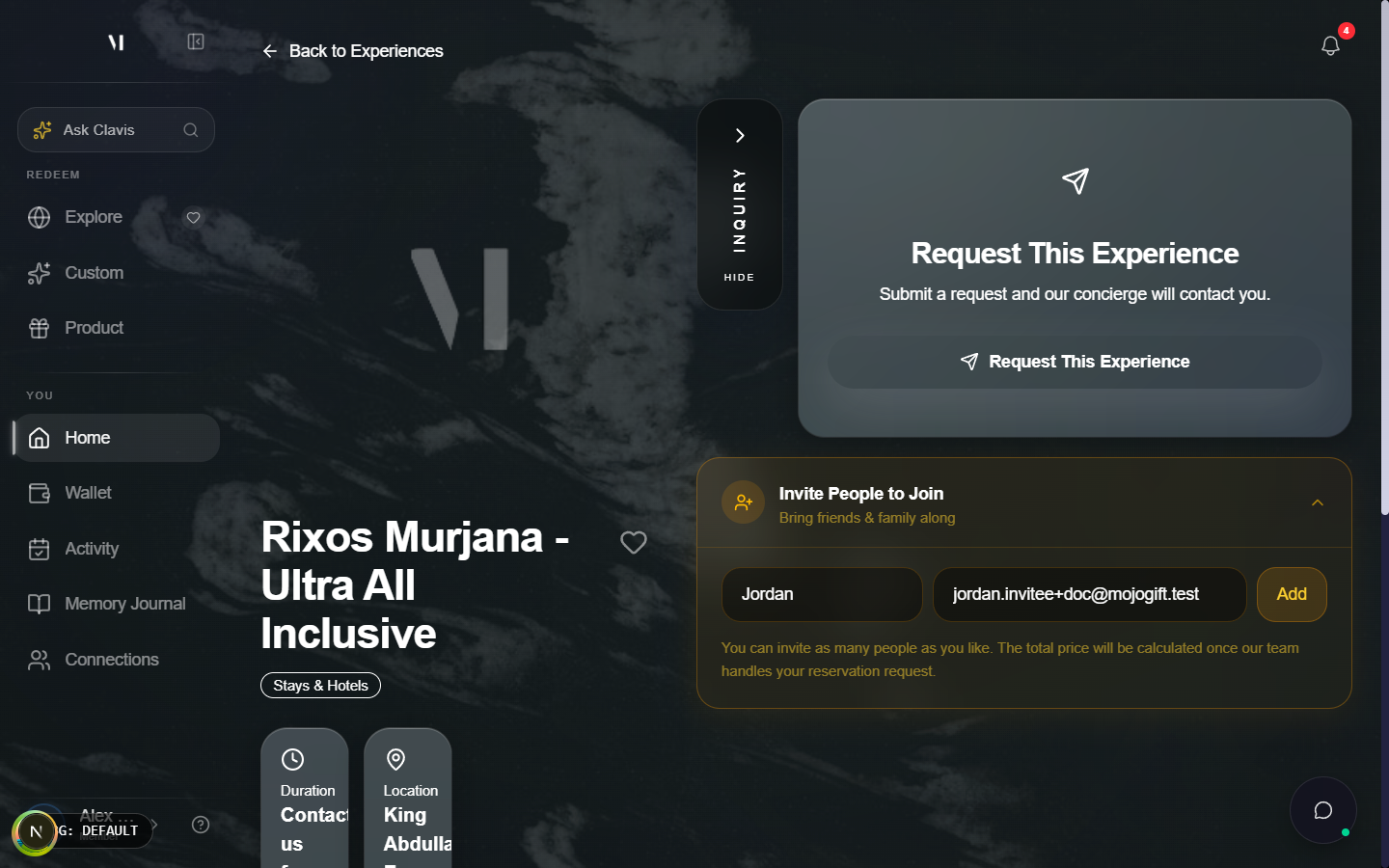
The experience detail page in the redeem portal has an Invite People to Join card with a small form. Add a first name and email, tap Add, and the invitee gets a one-time link by email.
Where invitations show up
Pending invitations appear in two places:
- The Invitations chip on My Activity
- An email from Mojo Gift with a direct link

The email contains a one-time link tied to your address. Clicking it opens the invitation page where you can accept or decline.
Open the invitation
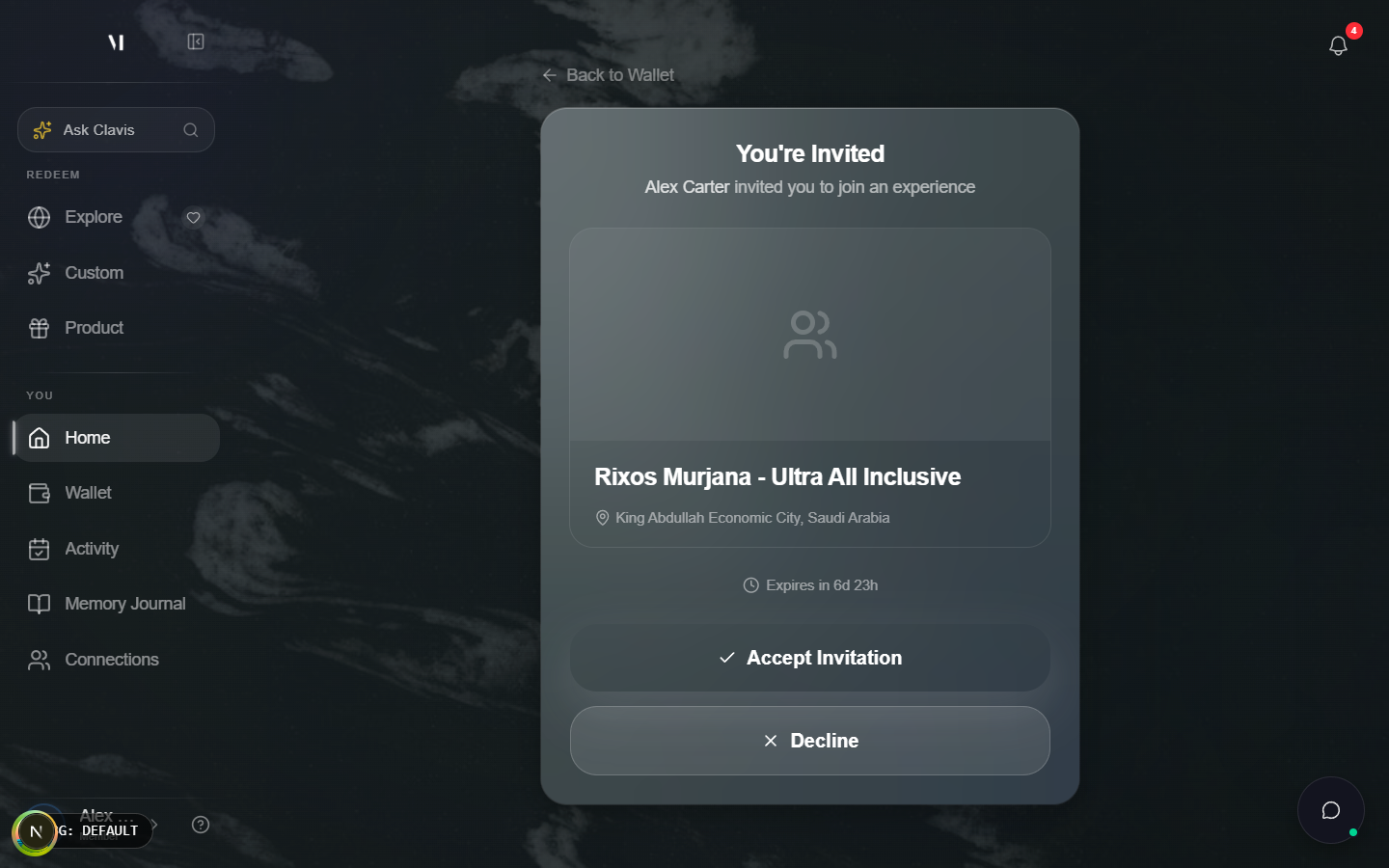
Each invitation link goes to /redeem/inquiry-invite/<token>. The page shows the experience that was shared with you: cover photo, title, location, duration, and any short description.
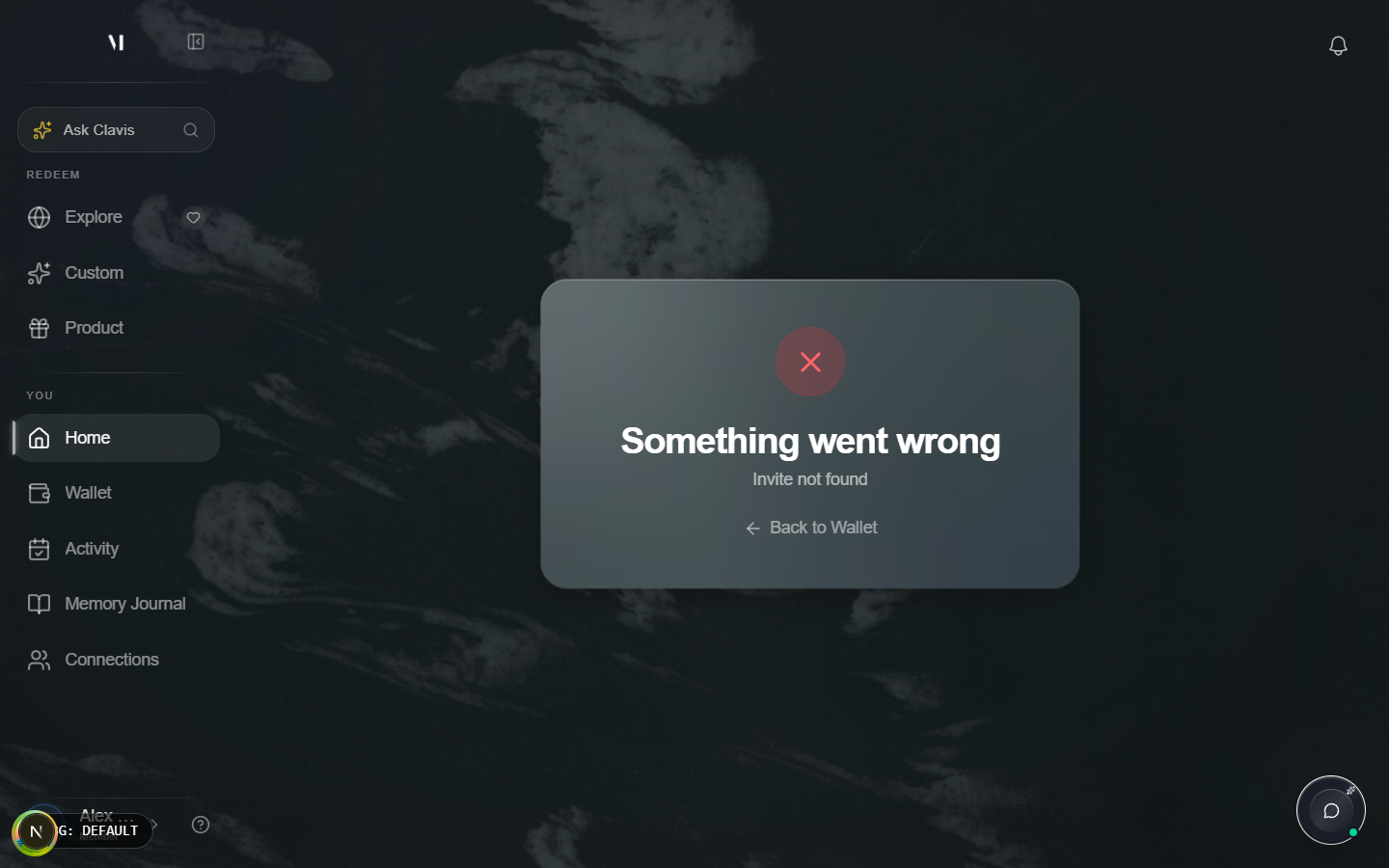
If the link is no longer valid (the inviter cancelled, or you opened the wrong URL) you'll see an "Invite not found" state.
Sign in if needed
You need to be signed in to accept an invitation. If you open the link in a fresh browser, the page asks you to Sign In or Create Account first. The invitation stays attached to your address, so signing in or registering with the same email opens the invite when you return.
Accept or decline
A valid pending invitation shows the experience card and two buttons: Accept Invitation and Decline.
| Action | What happens |
|---|---|
| Accept Invitation | You join the inquiry as a participant. The inviter is notified, and the request appears under Inquiries on your activity page. |
| Decline | The invitation is closed. The inviter is notified you didn't join. Declining doesn't affect your wallet, your gift cards, or your other bookings. |
After accepting you can open the inquiry directly from the success screen with a Track This Experience link, or find it later under My Activity.
Expiry
Invitations have a countdown shown on the page. If the deadline passes before you respond, the page switches to an Invitation Expired state. Ask the inviter to resend if you still want to join.
What invited people can and can't do
Joining an invitation makes you a participant in someone else's planning thread. As a participant you can:
- See the brief the host put together
- Read all messages from the concierge
- Add your own notes or preferences in the thread
You cannot:
- Change the funding (gift card or credits) — that stays with the original requester
- Cancel the booking on the host's behalf
- Add or remove other participants
The host is still the one paying. Joining doesn't pull from your wallet.
After joining
The inquiry behaves like any other request thread on your activity page. The concierge sees both of you in the conversation and will tag whoever is best placed to answer a given question.
What's next
- Tracking bookings covers the activity page where joined inquiries live.
- Curated Experiences covers how the original inquiry is created.
- Getting help covers what to do if an invitation link is broken.